Get started
One command to install, then build as usual. Each step says what to do, shows what you’ll see, and says what it meant — written for anyone who doesn’t live in a terminal.
You’ll need
- A project you build with Claude Code or Cursor
- Arbiter installs into that folder — the one the agent edits. It stays there; nothing runs anywhere else.
- Node
- If you use Claude Code you already have it. For Cursor: nodejs.org, the LTS download, then reopen Cursor.
- Nothing else
- No account, no sign-up, no GitHub. Publishing a board later needs none of those either.
01
Install
Paste this into the chat with your agent — “run this” is enough — or into a terminal open in the project:
$On Windows, in PowerShell, type
npx.cmdinstead ofnpx, here and in every command after. PowerShell blocks plainnpxout of the box; Command Prompt and Git Bash don’t.It asks one question — whose name goes on the rules. Press Enter to use the name it suggests. When it says Done, you’re set.
It added a handful of text files to your project and touched nothing else. The one to know about is
DECISIONS.md— that’s where the rules will go. Empty for now. Safe to run again any time.02
Start a new session and type /arbiter
Open a fresh chat — the agent picks Arbiter up when a session starts, not part-way through. Type
/arbiter. The first time, it introduces itself and asks one question. This is what you’ll see, word for word:claude — acme
Arbiter’s on. While I build UI, I record the design decisions I make — what changed, the rule behind it, what was rejected — so nothing gets re-decided and your team can see why things are the way they are.
How it works
- You build as usual. I say nothing about decisions until a piece of work settles — then one line.
/arbitershows what’s queued. For each: Confirm, Make it a rule, or Skip. Rules go intoDECISIONS.md, and I read them before touching UI.- When you want the team to see it, say publish — I’ll give you a link to a board they can read and comment on.
Commands
/arbiter— review what’s queued- publish — say it, get the board link
- “record that” / “make that a rule” — mid-chat, recorded, no questions
While you workWhen should Arbiter check in about decisions?
A line after big work (Recommended)
When a feature-sized piece settles, one sentence saying what was queued. Never mid-iteration, at most once a session.
Nothing until I ask
Queued silently. /arbiter whenever you want to see it.
A line after everything
One sentence every time a piece of work settles, big or small.
Enter takes the recommended answer. You can change it later by saying so — “be quieter about decisions” is enough. Then one line: Nothing queued yet — build something.
That’s the setup. You won’t see the intro again; from now on
/arbitershows what’s queued.03
Build as usual
Work exactly as before: ask for a screen, iterate on it, move on. While you’re iterating it says nothing. It keeps a list. When you move to something else it writes the list down and, after anything big, says one line:
claude — acme
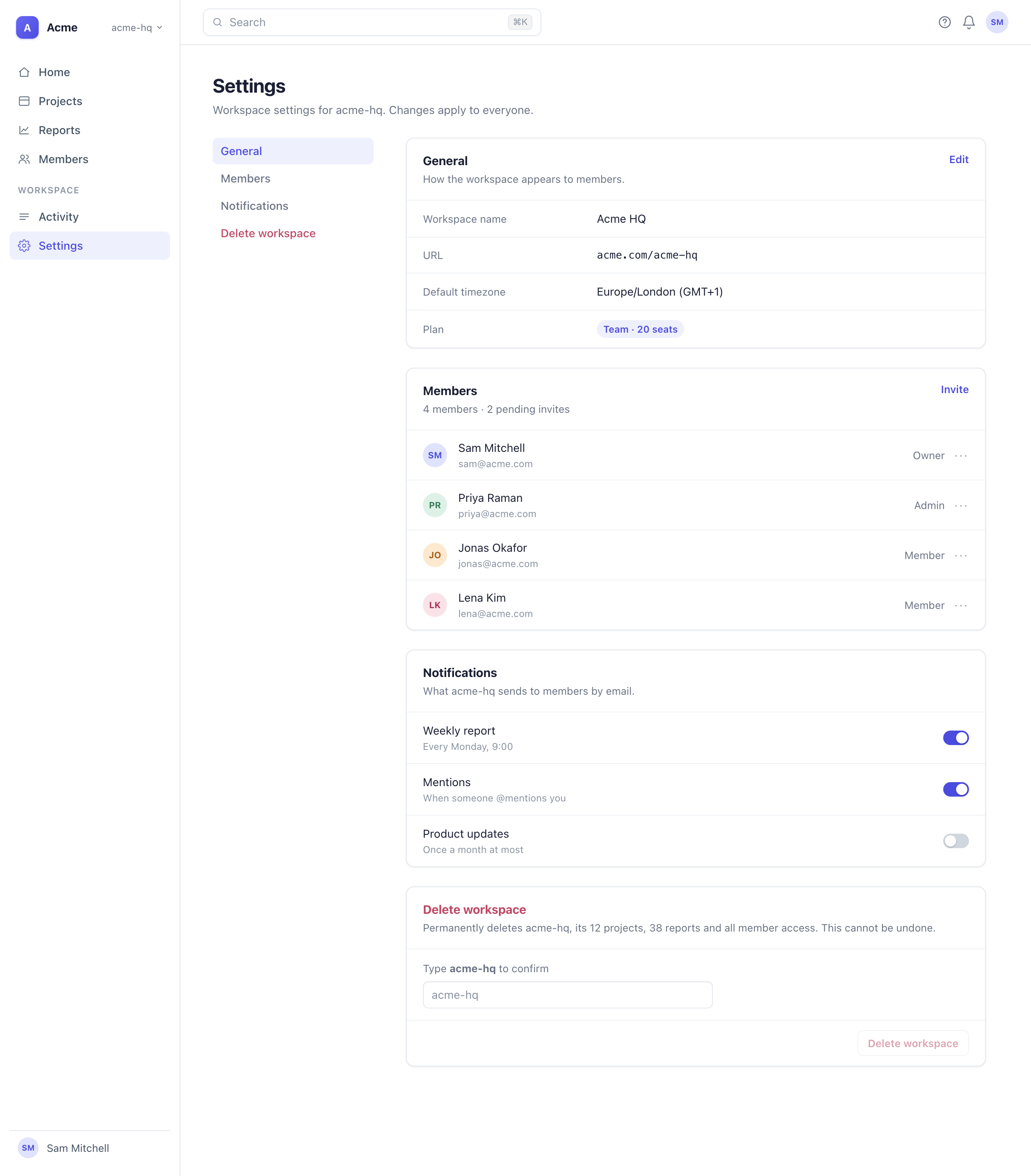
> Build the Settings page — one scrolling page, delete section at the bottom
  Reading DECISIONS.md — no rules yet.
  Built app/settings/page.tsx.

> Tabs might be cleaner. Try that.
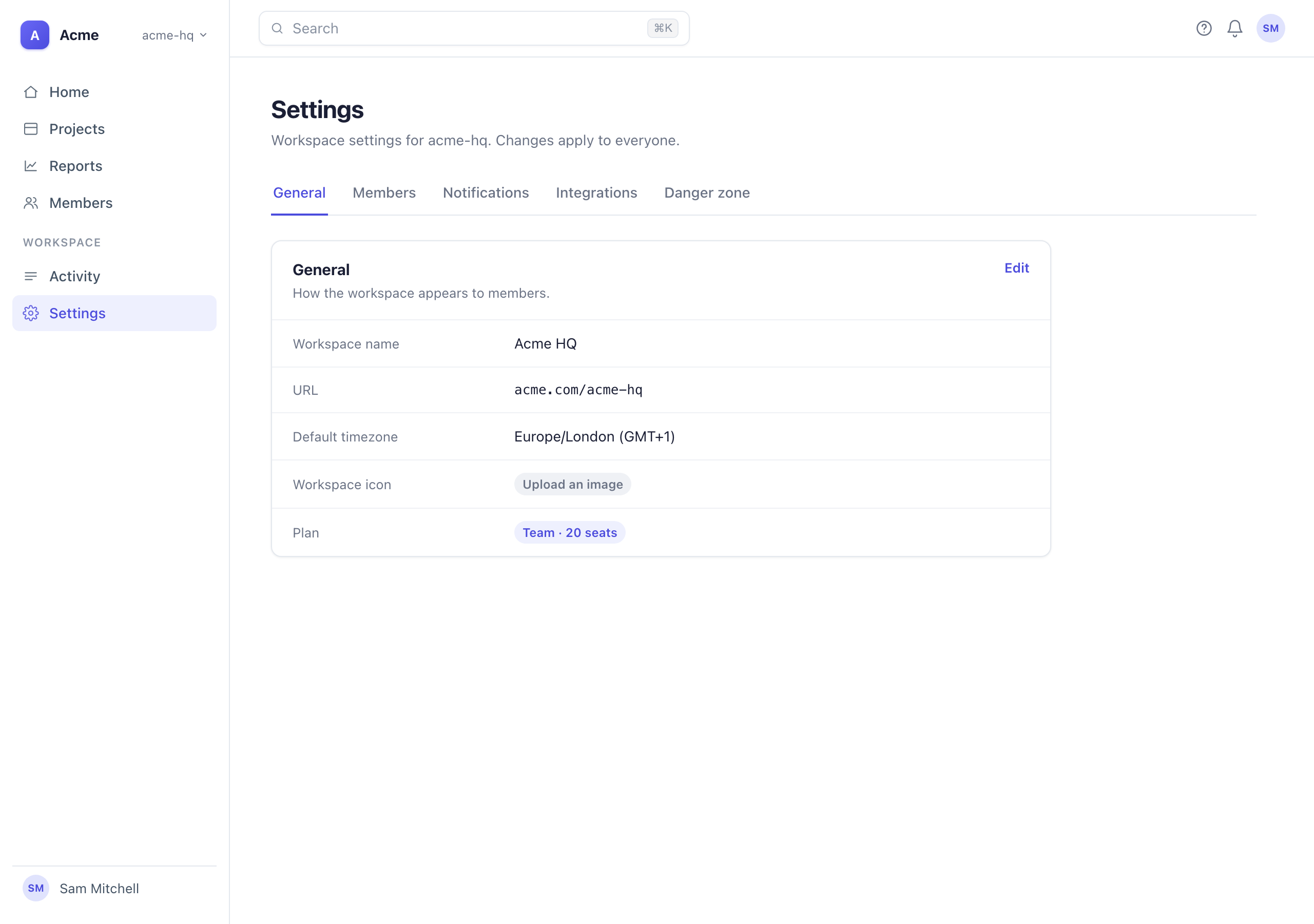
  Rebuilt as a tab row: General, Members, Billing, Delete.

> No — back to one page. Delete was too hidden.
  Back to a single page with a sticky section nav.

> Good. Now the billing page.
  Queued: Settings is now a single scrolling page with a sticky section nav (+2 pattern) — /arbiter when you’re ready.
The tabs came and went. That’s the point: each version you move past becomes a rejected alternative on the one that replaced it, with your reason. Nothing to write. After big work, if the app is running and the agent has a browser to look with, it also takes a screenshot for the board.
04
Judge the queue
Type
/arbiter. The queue comes grouped by the piece of work, one item at a time. Each reads the same three lines:claude — acme
P-0001FeatureStructure- Change
- Settings is one scrolling page with a sticky section nav
- Pattern
- Settings pages are a single scrolling page, not tabs
- Rejected
- Tabs — the delete section was two clicks deep
- Confirm
- Yes, that’s what happened. It’s on the record and the board shows it; the agent isn’t bound by it.
- Make it a rule
- And do it that way from now on. It goes into
DECISIONS.md, which the agent reads before touching UI. - Skip
- Not now. It stays in the queue for next time. To drop one for good, type skip in the Other box.
Or type what it should have been in the Other box, and that’s what gets recorded. Small fixes — a 7px height, a dropped chevron — never get a card of their own; they’re one line per piece of work with a single Confirm all.
You don’t have to wait for the review. Mid-chat, “make that a rule” or “reject the tabs, going with one page” records it without a question.
05
Share the board
Only what you’ve judged reaches the board — so review first, then publish. When there’s something for the team to see, say publish to the agent, or run it yourself:
terminal — acme
$ npx arbiter publish
  project  done  — created on https://arbiter.design — link in .arbiter/hosted.json (commit it); token in .arbiter/hosted.token (git-ignored)
  board    done  — 3 screens published, 2 images

Live in about a minute: https://arbiter.design/p/k3m8vq2xw7pl
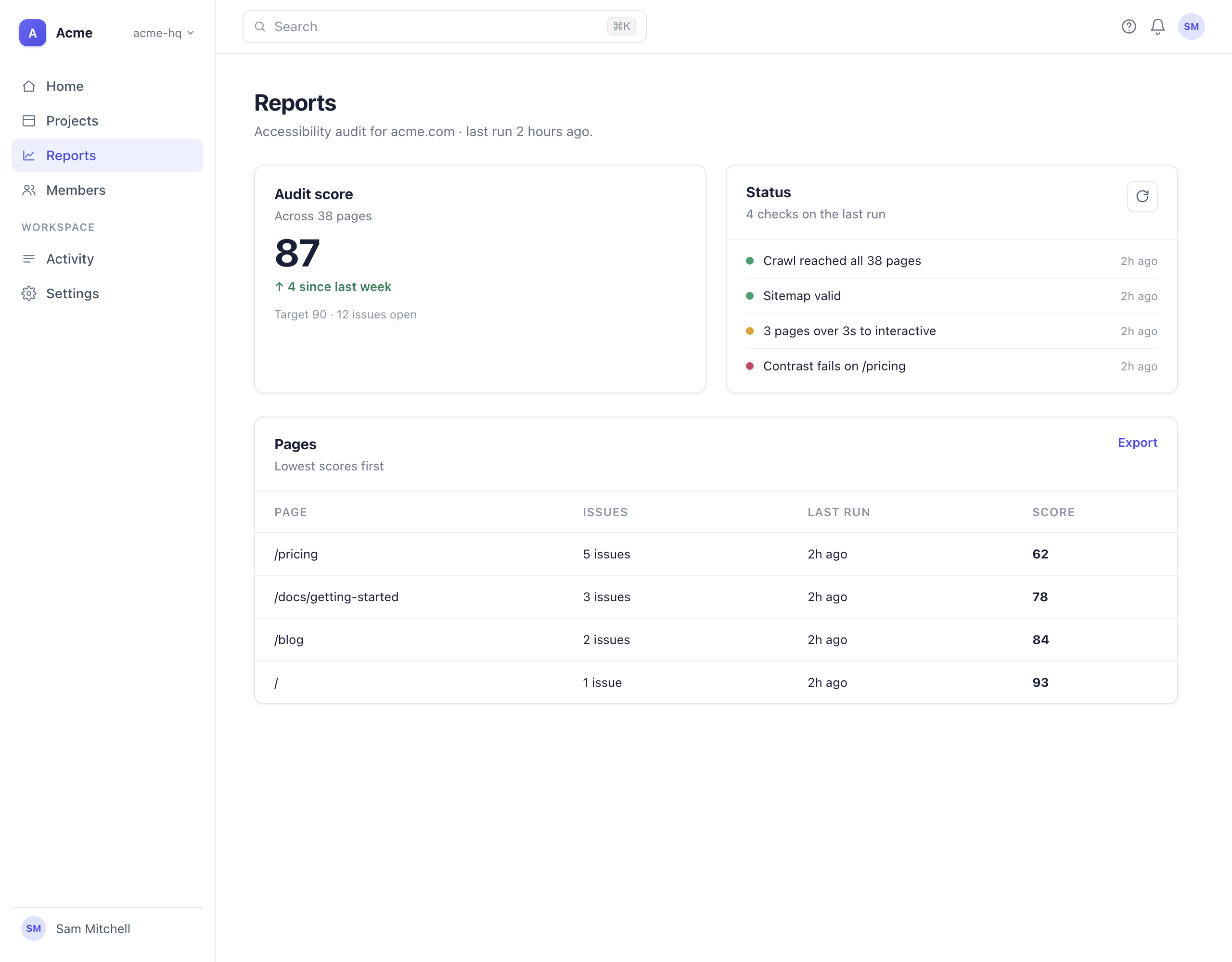
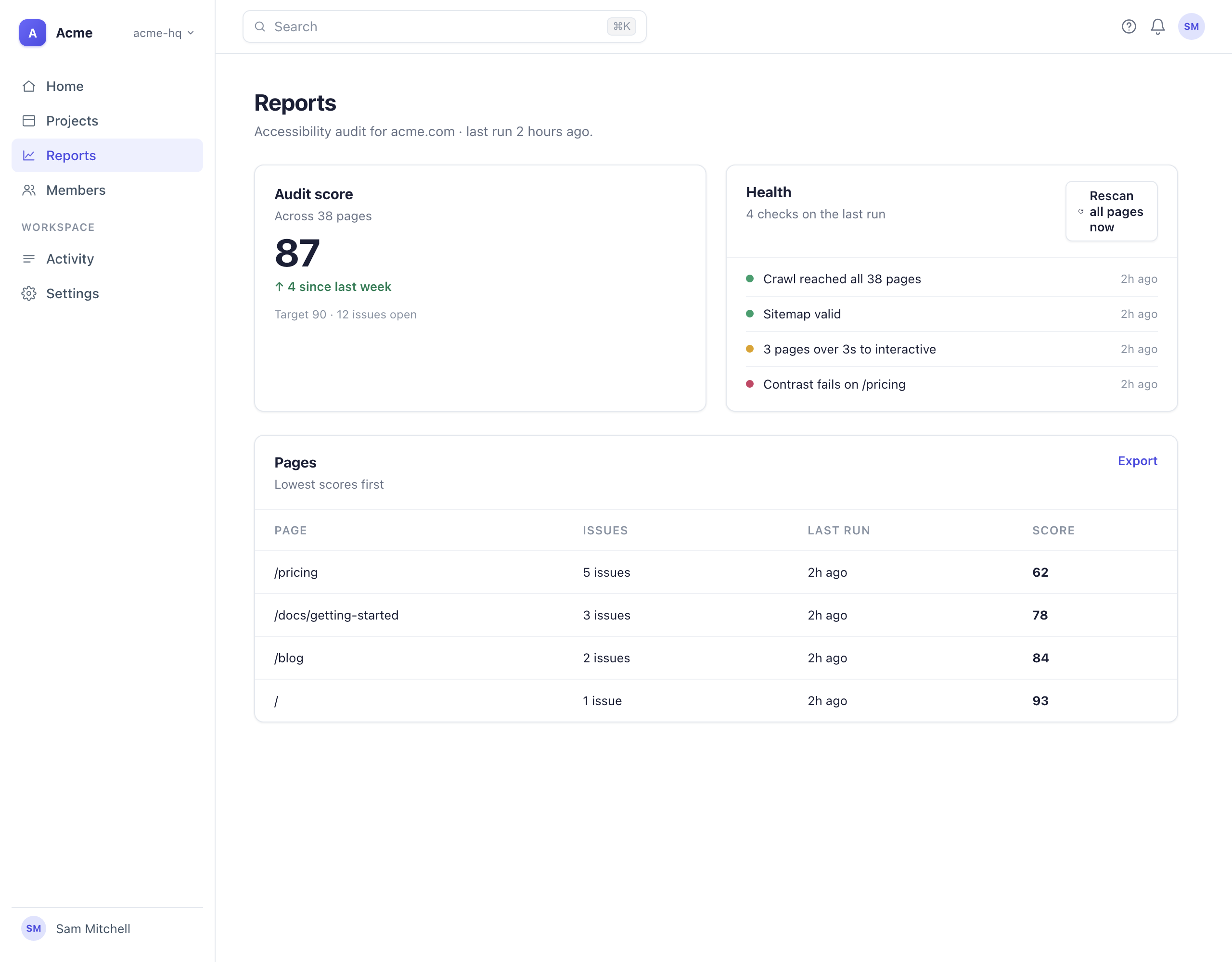
The link opens the board — every piece of work, its screenshot when there is one, what was decided on it and what lost:
Send it to anyone. To comment or say looks good they sign in with an email link, sent from hello@arbiter.design — no account to create, nothing to install. The board is unlisted and kept out of search engines. The demo board is a full one to look around.
Publish again whenever you like: the link is remembered in the project, so the same board updates each time, and comments stay.
npx arbiter pullbrings the comments back into the project, where the review page shows them beside each decision.
Where things live
- DECISIONS.md
- The rules. The agent reads it before UI work. Plain text — open it whenever you like.
- .arbiter/pending.md
- What’s queued for you to judge.
- .arbiter/archive.md
- Everything ever decided, including what was replaced and why. Never loaded into the agent.
The rest — the skill file, the config, the one line in CLAUDE.md — is on the front page under Under the hood.
If something looks wrong
Try it in your project
One command to install. Nothing enforces anything — rules inform generation; they don’t gate it.