Beta · Testing with early users
Design decisions that stick.
Reasons that survive.
Building with an agent means dozens of product decisions a day, gone by tomorrow. Arbiter records each one as it is made. The agent follows it; your team can see who decided what, and why.
/p/acme/c/C-0001
Settings / Single page
Single page
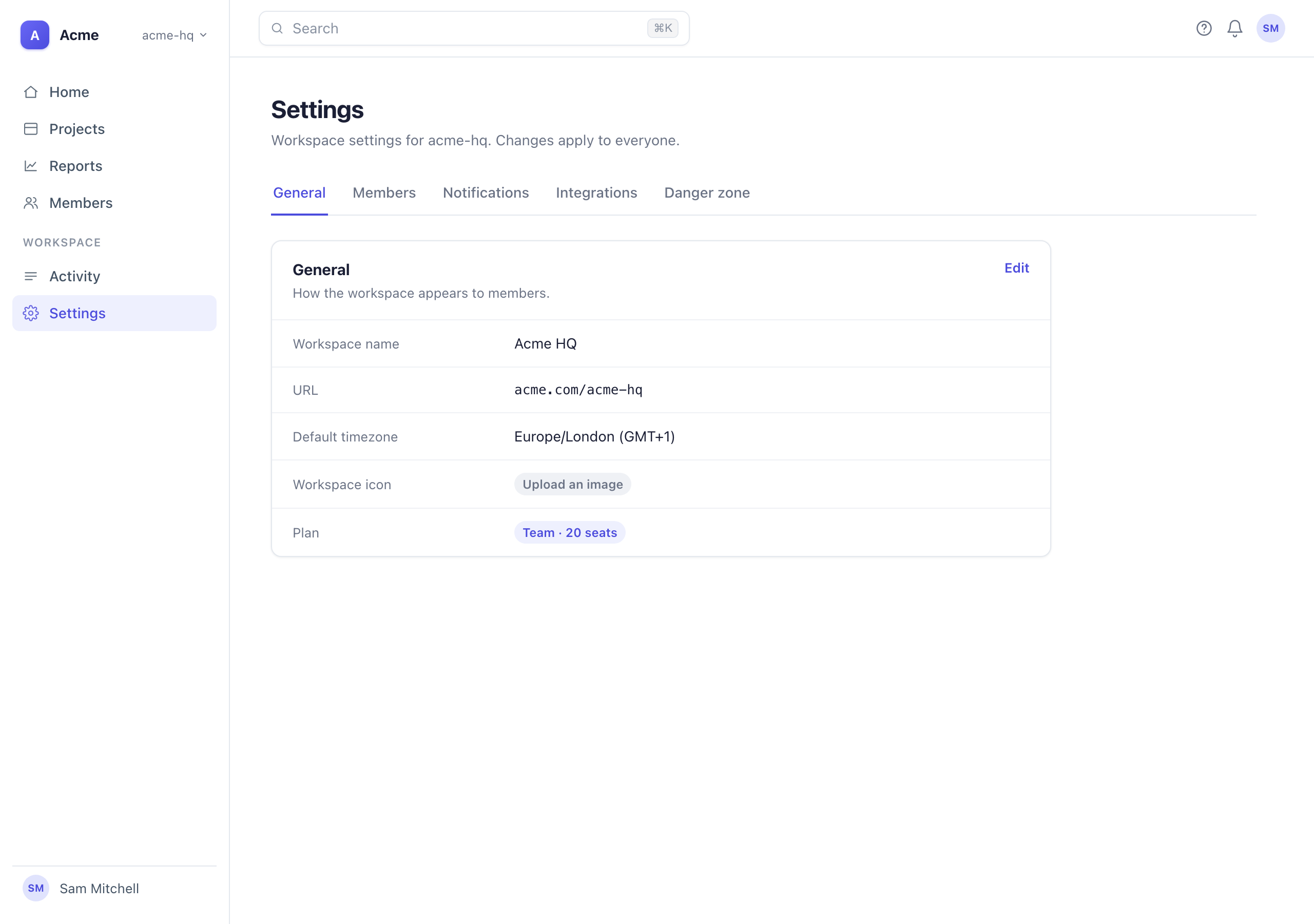
“Tabs hid the danger zone; a single page keeps everything one scroll away.”
- Status
- Approvedby Sam
- Area
- Settings
- Decided by
- Lena
- Date
 TabsReplaced
Decided here · 3
- Change
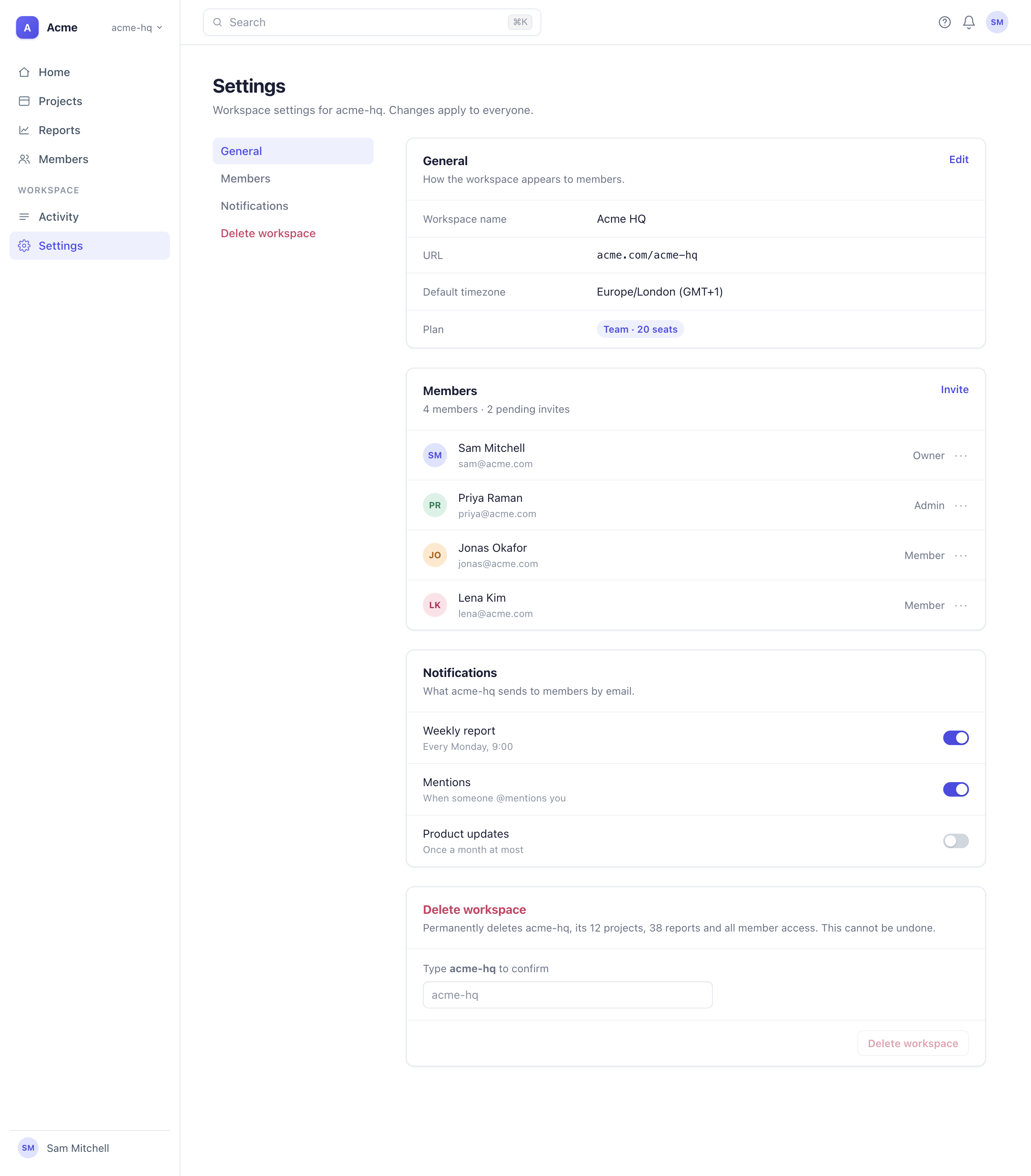
- Settings is one scrolling page with a sticky section nav down the side.
- Rule
- Settings pages are a single scrolling page, not tabs
- Rejected
- Tabs — danger zone two clicks deep, missed in testingAccordion sections — collapsed by default, same discoverability problem
- Applies to
- Settings layout, anywhere
- Change
- Delete workspace asks you to type the workspace name before the button enables.
- Rule
- Irreversible actions require typing the name to enable the button
- Rejected
- Plain confirm button — clicked through in testing
- Applies to
- Destructive confirm, anywhere
- D-0016Content3 of 3
- Change
- The section heading reads Delete workspace.
- Pattern
- Destructive sections are named for what they do, not “Danger zone”
- Rejected
- Danger zone — borrowed, vague
- Applies to
- Destructive section, anywhere
Comments · 2 · 4 on decisions above
✓ Looks good to Sam
- Sam ·
Sticky nav is great. Can the delete section sit under a divider so it reads as separate? - Priya ·
Agree tabs hid it — we saw the same thing on the Reports page.
Sign in with your email to comment, request a change, or say it looks good.
> Build the Settings page — one scrolling page, delete section at the bottomReading DECISIONS.md — 4 rules apply.● Wrote app/settings/page.tsxQueued: Settings is now a single scrolling page with a sticky section nav (+2 pattern) — /arbiter when you’re ready.> /arbiterSettings build · 3 decisions
P-0001 · feature · structure
Sound familiar?
Building fast with an agent means making product decisions all day. Here’s what happens when nobody keeps track of them.
Who’s keeping track?
Nothing gets written down. Five screens shipped before lunch. Every one held a call about layout, copy, or flow — made in seconds, written down nowhere.
Didn’t we already decide this?
The agent forgets between sessions. Tuesday she told the agent no sidebar, and why. Thursday, new session — there’s the sidebar, with the same argument for it.
Why is it a modal?
The reasoning is lost. Asked in review. There was a good reason. It was in a chat three weeks ago, and nobody can find it.
Arbiter keeps the record.
A decision record for teams building with AI agents. The agent writes it as it works, you approve it in seconds, the agent follows it next time — and everyone else can read it. Documentation that writes itself, with every decision traced to who made it, when, and what it beat.
Sam · Product lead
Who’s keeping track?
Arbiter is. Every call the agent makes is recorded as it’s made — what it chose, what it beat, and why.
Review in a minute, not a meeting.
Everything from one piece of work, in one place: the calls the agent made, the screens it made them on, and the rules they become. Confirm each call, make it a rule, or say what it should be. Nothing to write.
One piece of work, one screen
Decisions are grouped by what you were building, like “Settings build”, not by date or category. You judge them in the order you made them.
Pick the direction, keep the why
When the agent made two versions of a screen, you pick one under Screens. It asks why, and the reason is saved on the winner and on the one it beat.
Settings build
3 decisionsSettings is one scrolling page with a sticky section nav down the side.
Pattern — Settings pages are a single scrolling page, not tabs
Rejected — Tabs — danger zone two clicks deep, missed in testing
Rejected — Accordion sections — collapsed by default, same discoverability problem
Delete workspace asks you to type the workspace name before the button enables.
Pattern — Irreversible actions require typing the name to enable the button
Rejected — Plain confirm button — clicked through in testing
The section heading reads Delete workspace.
Pattern — Destructive sections are named for what they do, not “Danger zone”
Rejected — Danger zone — borrowed, vague
All caught up.
Nothing pending. The agent queues decisions here when work settles.
Rules go where the agent reads
Make it a rule, or type a fix, and it goes into DECISIONS.md. The agent reads that file before any UI work. It holds 40 rules at most, so it stays short.
A board for your decisions
Publish, and you get a board like the demo above: every design decision your agent has made, the screen it was made on, what lost and why. One place to keep track of them all.
Works with the agent you already use
Claude Code and Cursor read your rules before UI work and record what they decide after. Anything that reads AGENTS.md follows the rules. Nothing to configure.
Reads and records · follows the rules through AGENTS.md · integrations coming soon
How it works
Nothing to write. The agent records, you judge, the board shows everyone else — and the record feeds the next session.
01
You build
Claude Code or Cursor, as usual. The agent reads your rules before it touches UI.
02
It queues
When the work settles, the agent says one line and lists what it decided in .arbiter/pending.md.
03
You judge
In chat or the review page. Confirm, make it a rule, skip, or type what it should be.
04
You share
Send the board link. Everyone sees each piece of work: what was decided, what it beat, who approved it and why. They can comment.
Under the hood
Plain files in your repo. One command writes these and stops — it never touches your source, and running it twice changes nothing.
Questions
The ones that come up first.
Try it in your project
One command to install. Nothing enforces anything — rules inform generation; they don’t gate it.
New to the terminal? The step-by-step guide.